
Guide
Six screens that show an FSBuy order beginning to end
Every screenshot below is a frame pulled directly from FSBuy's own walkthrough video, not a redrawn mock-up. Timestamps are noted so you can tell exactly where in the video each one comes from.
Play FSBuy's own walkthrough video
This is FSBuy's own onboarding video, embedded as-is and only loaded once you click play — it is not set to autoplay. Run time is just over two minutes.
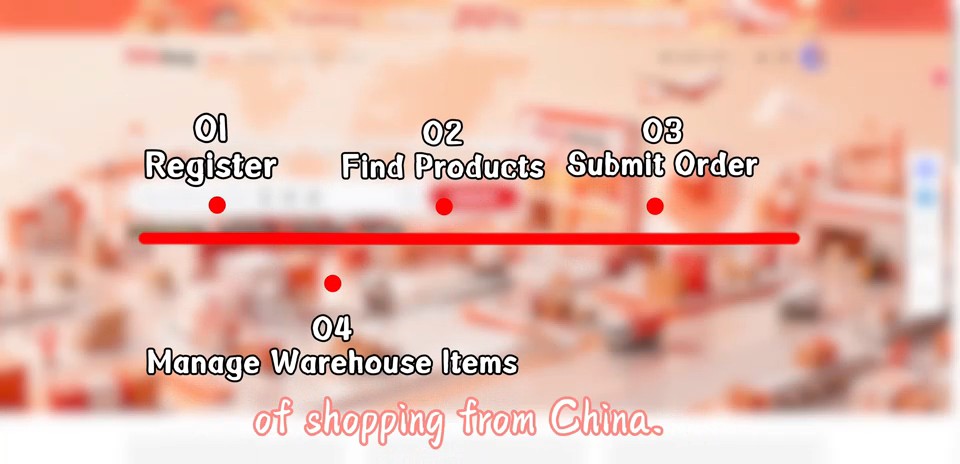
Video: FSBuy official channel, captured 2026-10-22.
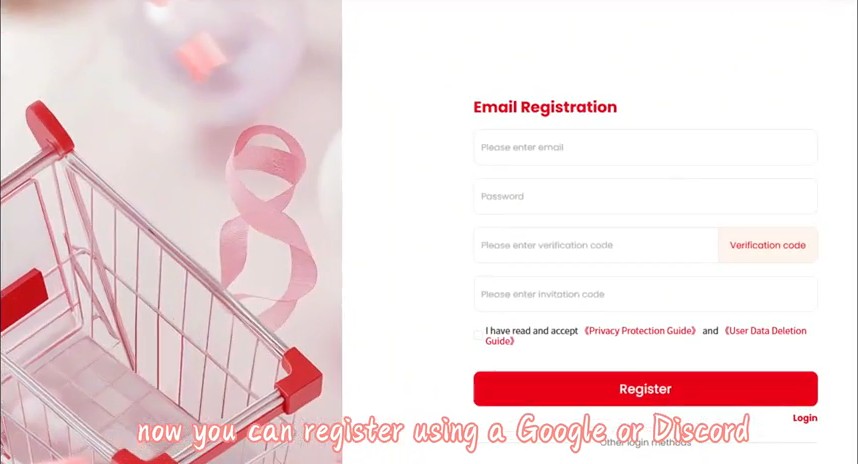
1. Register
Email plus a verification code is all a new account needs — there is no separate password field in the form itself, just a checkbox agreeing to FSBuy's Privacy Protection Guide and User Data Deletion Guide. FSBuy's own captions on this section of the video mention that Google and Discord sign-in are also available as shortcuts, so you are not required to manage a new password at all if you would rather sign in through an existing account. There is also a separate field for an invitation code on this same screen, which is optional and only applies if someone referred you.
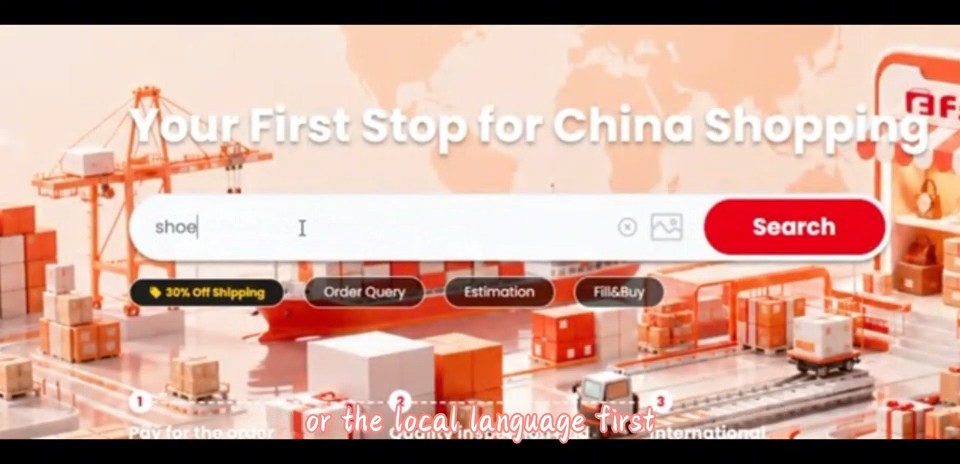
2. Search or paste a link
Drop in a link from any of the five marketplaces FSBuy reaches — Taobao, Tmall, JD, 1688 or Pinduoduo — or just type a keyword straight into the search bar shown here. The quick-action row underneath covers order tracking, the freight estimator, and the manual DIY-order form for listings that do not support a direct link. Image search is also available from the same bar for listings you cannot describe easily in words — useful when you have a photo of an item but do not know what it is called on the Chinese marketplace it originally sold on.
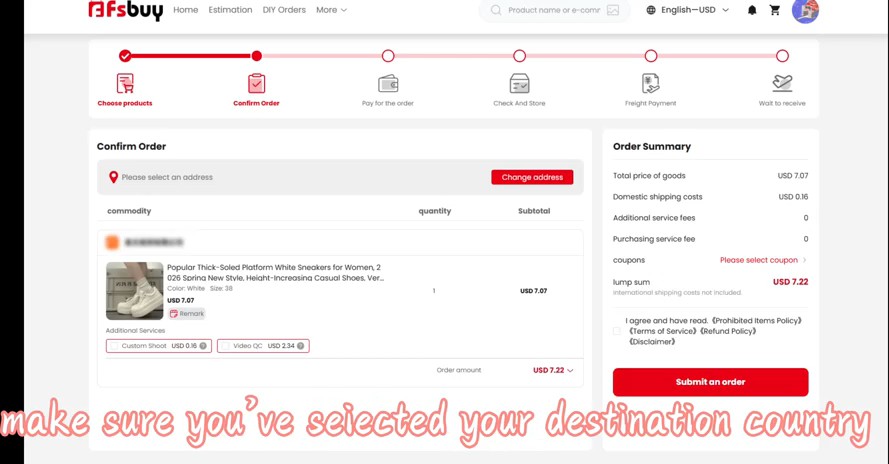
3. Confirm the order
Three things happen on this screen before anything gets paid: you pick a delivery address, drop in a coupon code if one applies, and watch the total break out into goods price, domestic shipping inside China and any service fee. The progress bar across the top names the six stages the order will pass through: Choose products, Confirm Order, Pay for the order, Check And Store, Freight Payment, Wait to receive. Each item on the order carries its own optional add-ons at this stage too — the screenshot above shows a custom-shoot request and a paid video QC option sitting right next to the line item, so you can decide per product rather than per whole order.
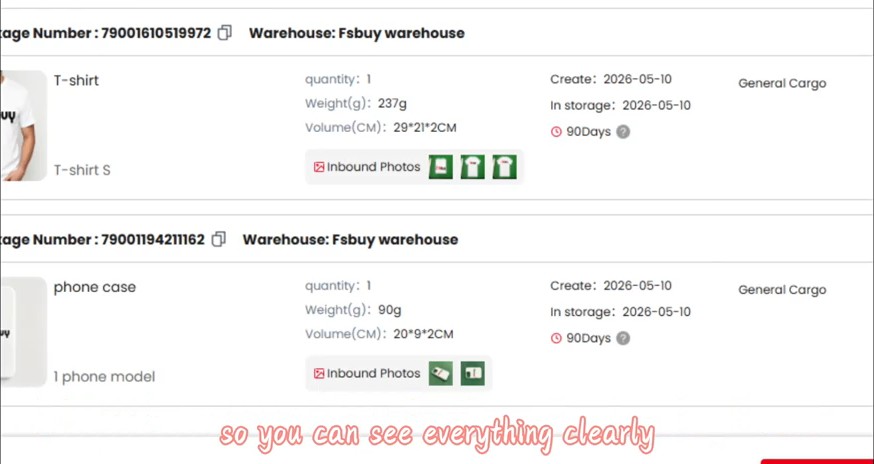
4. Warehouse check-in
Once goods arrive at FSBuy's China warehouse, each item earns its own line on this list, tagged with a package number, logged by weight (grams) and size (cubic centimetres), dated for when it entered storage, and stamped with the 90-day free-storage badge. Clicking the green chip next to any item opens its inbound inspection photos — this is where the multi-angle QC photos described on the QC page actually show up. Whatever weight and size get logged here carry straight through into the freight quote on the next screen, so a mismatch between a listing's stated weight and what the warehouse actually measured is worth noticing before you pay for shipping, not after.
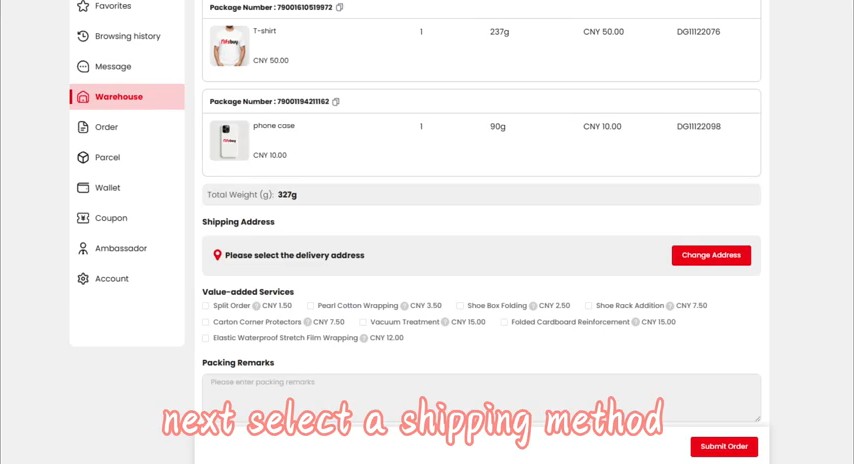
5. Pack and pay for shipping
Before freight is quoted, this same screen offers eight optional packing add-ons, each priced individually in CNY rather than folded into one flat packing fee. They roughly split into protective wrapping (pearl-cotton, a vacuum seal, an elastic waterproof film), structural reinforcement (folded-cardboard panels, corner protectors for the carton, a dedicated rack addition for shoes, shoe-box folding), and one order-handling option for splitting items apart. See costs for the exact per-item figures. After this screen, FSBuy asks you to choose a shipping method and pay the freight charge.
After delivery
FSBuy calls its policy here the 5-Day Return & Exchange Guarantee, and the name is slightly misleading on its own: the window is 7 days from when you receive the goods, which FSBuy separately counts as 120 hours (five days) measured from the date the item was logged into its domestic warehouse, not from your delivery date. The outcome still rests on the original seller's own willingness to accept it back. A longer list than most shoppers expect sits outside this guarantee entirely unless the seller agrees separately:
- Custom or print-on-demand orders
- Apparel with tags or original packaging removed
- Secondhand goods
- Items shipped from Hong Kong, Macau, Taiwan, or anywhere overseas
- Underwear and other intimate apparel
- Food and dietary supplements
- Periodicals or books once a single order passes 15 copies
- Anything the seller has separately marked non-returnable
- Sealed products opened outside FSBuy's own inspection process
Reading this list before ordering something you might need to send back is worth the extra minute.
A new account that joins FSBuy's Discord server walks away with a 50 CNY coupon good toward a first order — the Discord membership is the condition, not something every new signup receives automatically.